How to get the old software back to a PC ?
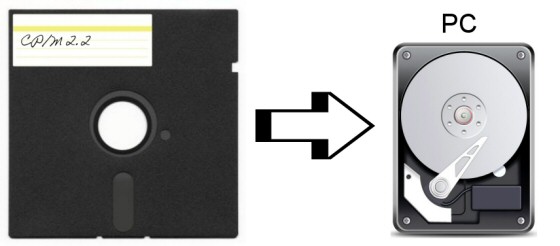
There are several programs to transfer disk image files back to a real floppy disk, or to copy (single) files back to a real floppy disk.
To get a bootable floppy disk, you have to use an imaging tool.
To add a single/multiple file(s), try the file system extension programs.
Most of the programs have to get direct access to the hardware (floppy controller), so they usually have to run under DOS (not Windows!).
It would be a good idea to have an older PC for this purpose, PCs above an Intel 486 will have problems with old DOS software. Also, it would be mandatory to have the appropriate floppy disk drives build in, HD (high density) drives like TEAC FD-55GFR (1.2 MB capacity) are less useful*) if you want to write DS/DD (double sided, double density), if you like TEAC drives, choose a TEAC FD-55B (40 tracks) or TEAC FD-55F (80 tracks) drive.
Please visit >Herb's collection of useful links< to floppy drive related stuff also.
*) May be interesting, there is a possibility to modify the above mentioned TEAC FD-55GFR "HD" models, e.g. to change the rotation speed to 300rpm (="DD") at a special >oldskool.org< Webpage...
I tried to divide the software overview by operating system:
DOS - may be the best OS for disk transfer
Floppy disk images
What program should be used, depends on what image files you get.
Very common are Teledisk and >David Dunfield's ImageDisk< image files.
Less common are 22Disk and CopyQM image files.
Unsual are Anadisk or >OmniDisk<, but can be the last chance.
>Teledisk 2.16< and >Teledisk 2.23<, >22Disk<, >CopyQM< and >Anadisk< are still commercial supported from Sydex (see also >here<, but disappeared meanwhile?), but there are several shareware (fully functional) program versions still available. >Teledisk 2.11< may be useful for 40 track drive disk images, because newer versions may have a problem with it.
I would recommend ImageDisk from David Dunfield as 'the' successor of the other expensive, commercial programs listed above, included are also programs to convert the Teledisk images (e.g. "TD02IMD").
If you want to read Teledisk image files with your own programs, look at >this< page (disappeared ? Try >archive.org< and for the file only try >wteledsk.lzh<).
To convert Teledisk images, try >tdcvt<).
BTW: Sometimes floppy disk images were already offered in an emulator format (e.g. Altair/SIMH, Z80PACK or >MyZ80< ).
If you want to copy only PC compatible floppy disks, but not only DOS formatted, try my self written and royalty free program DISKTOOL, which runs with any DOS version >= 3.30, and which is able to read/write images from CP/M-86, XENIX etc.
It can be download here: >disktool.zip<
Single/Multiple file transfer
You will have the choice.
Get >Uniform<, Supercopy and >PC Alien< to access floppy disks directly.
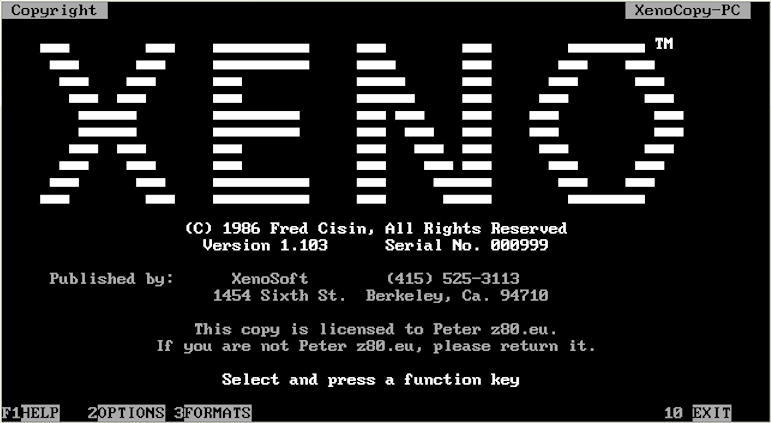
There is also >Xenocopy<, but unfortunately it's not possible to get it anymore.
If anybody wants to sell or donate his original (Version 1.2) to me, this would make me very happy. Fred Cisin didn't respond to any requests or questions I sent, so I guess he's already retired or is not interested in selling or just pass the program anymore. Regardless of this, if you have further questions about Xenocopy, do not hesitate to contact me.
>22Disk< is another option for copying single files, but you have use "CTOD" or "DTOC" (additional programs included in the package).
>PC Alien 1.4< (newer version, very handy, suitable for CP/M and DOS formats)
(If you are interested in Supercopy, try to reach someone from comfood.de, or send me an email to ask for further details. A german article about it can be read at >li-pro.net<.)
If you own the target CP/M computer, and this CP/M capable computer has a serial port (V24 aka RS232), try to use a file transfer program like >KERMIT< via serial port communication (typically slow, above 9600 baud difficult).
You need a PC with a serial port also, if your PC is too new, try an USB Serial adapter - this should work flawlessly also.
Linux - only a few tools...
If you are using Linux, you can search for >cpmtools< from Michael Haardt, may be also >here<.
To access floppy drives directly, use >fdutils<.
If you are interested to write your own program for accessing CP/M disks, try >LibDsk< (which is related with fdrawcmd, see below).
Windows - also only a few tools
The Linux cpmtools toolset was ported also to Windows (32bit), see >here< !
Also, there is >OmniFlop<, but it has to be licensed.
Interested in writing your own tool ? See >here< for a floppy filter driver (fdrawcmd.sys) for all Windows versions.
Simon Owen not only wrote fdrawcmd.sys, he also wrote an application - >samdisk< - for reading and writing disks in >almost every format<. If you're looking for a Windows 2000 and later compatible application, you should give it a try.
Btw.: If you want to read and write old DOS disks with Windows,
try >Floppy Image<, excellent small program (this version is old, but free).
Other
If you own a Kaypro portable computer, UNIFORM was one of the supplied tools, which can read a few foreign disk formats.
Also, if you own a Commodore 128, you can be lucky. There is a program called >Juggler< which supports over 140 types of CP/M disks.
If you're a lucky vintage computer hardware collector, you may own also a Central Point "Option Board" ISA slot PC controller card, which was selled in different versions. I've tested the first version, a picture of it here:
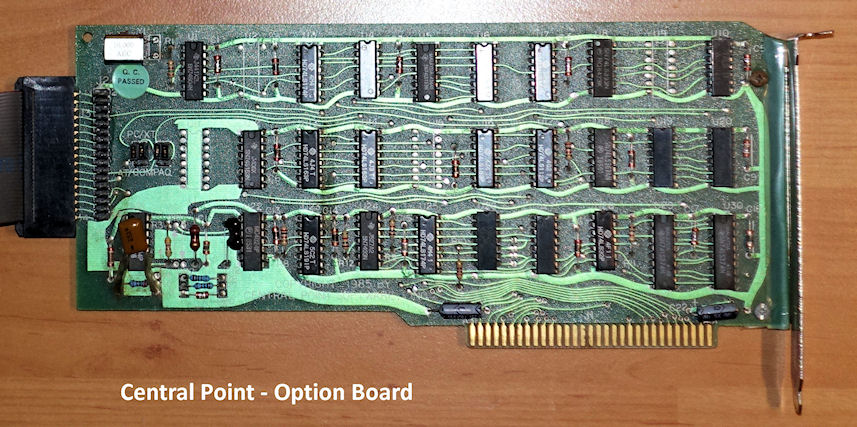
This card uses a DOS software named Transcopy, which produces disk images (if a drive letter C: or higher is used) from *ANY* 40 track disk, it does NOT matter what format the floppy disk had. But it's an old piece of hardware, now very difficult to obtain.
If you have no success with your own tries, or if you do not have the equipment nor the knowledge, I am offering a >service< for that. I will do my very best to read or write any disk format (but sometimes miracles take a bit time).
Some notes about MFM (double density) vs FM (single density):
Go on reading infos >here< and >here< first, then >here< and also this collection of discussion entries >here<.
Not all PCs have an appropriate crystal for generating the lower frequencies the floppy controller chip needs, it seems that early add-on cards from Adaptec with a NS8473 (or NS8477) or other cards with a WD 37C65 controller chip can do this. Some later mainboards with an Intel 82077 Chip may be, too. The first, original IBM PC floppy controller card can do this only with additional modifications described in the 22Disk doc file from Sydex (e.g. can be found inside the original 22Disk144.zip file).
See also for FM (not only MFM) and 128 Byte-Sector writing this very interesting >list<.
|
















 CP/M - the final disk format frontier ...