Chicken and Egg problem... Apple II disk images converted/readable for the Apple IIe Card ? (derived from simplephpblog file blog\content\13\05\entry130505-223000.txt)
As described in entry=entry130319-180000.html , I got an Apple IIe Card for my LC aka Color Classic.
But this leads into a chicken and egg problem.
I've read at http://www.vectronicsappleworld.com/appleii/internet.html#equipment and in the section after it how to go on with these images.
But I am totally unsure how to start.
There is a reference to http://www.vectronicsappleworld.com/basement/appleii/software/utilities/binscii.txt which describes how to get the BINSCII.EXE (has nothing to do with PC EXE files!) running with ProDOS. At this point I asked myself how to get BINSCII.EXE to the ProDOS Partition, which must be the first step after downloading the file.
Also, ShrinkIt and Copy II Plus is mentioned then, I have to get it running after I managed the above BINSCII problem.
Even if I got both running (BINSCII and ShrinkIt), I am unsure about the next step.
After I downloaded a 140KB image file and copy it to the Mac, should I use BINSCII first, then Shrinkit (I do not know how to get this onto my ProDOS formatted partition), and then Copy II Plus to write the image back to a floppy drive ?
So do I have to own a Apple 5.25 Drive, otherwise I'm lost ?
I guess my build-in HD floppy drive will not help (for nothing).
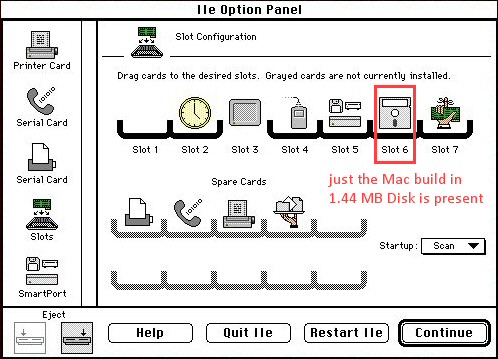
I asked the author, but he didn't answer. Any hints are welcome !
Related link