CP/M-86 with VMWare Player and Virtualbox 4 ? YES (derived from simplephpblog file blog\content\12\08\entry120807-180000.txt)
Last time I followed a discussion at comp.os.cpm, subject named "Running CP/M within Linux?", it was not really related with Linux, but with running CP/M-86 in an x86 emulator.
My preferred choice is VMWare Player, so I decided to get the 1.44MB floppy image from http://www.retroarchive.org/cpm/archive/unofficial/binary.html , named "CP/M-86 BOOTABLE for 1.44MB FLOPPY". Unfortunately this floppy disk image is faulty.
Somebody should delete it from retroarchive.org.
I got it working... with a floppy image file from http://www.cpm.z80.de/binary.html , named "CP/M-86 binary for 1.44mb floppys" - THIS WORKS even in VMWare Player 4 !
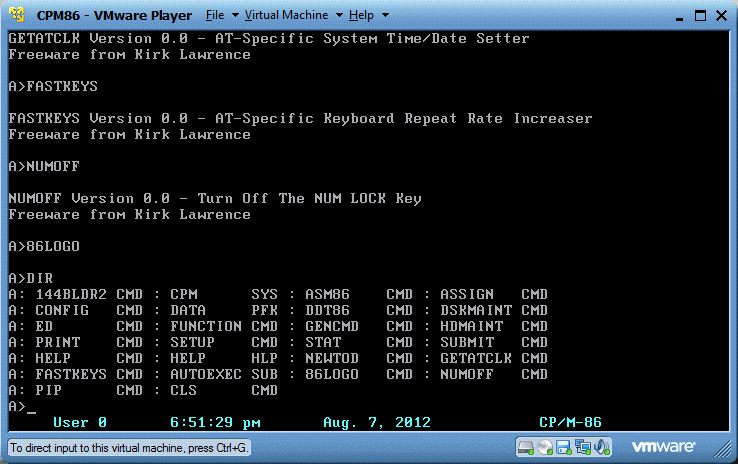
For a raw image version usable in VMWare Player 4, just download it from here:
New CP/M-86 floppy image file (raw format,ZIPped) for VMWare Player usage
EDITED AGAIN A DAY LATER:
The second floppy disk image runs also with Virtualbox 4.1. It's a bit tricky maybe, because you have to add a virtual "floppy disk controller" first, see screenshot:
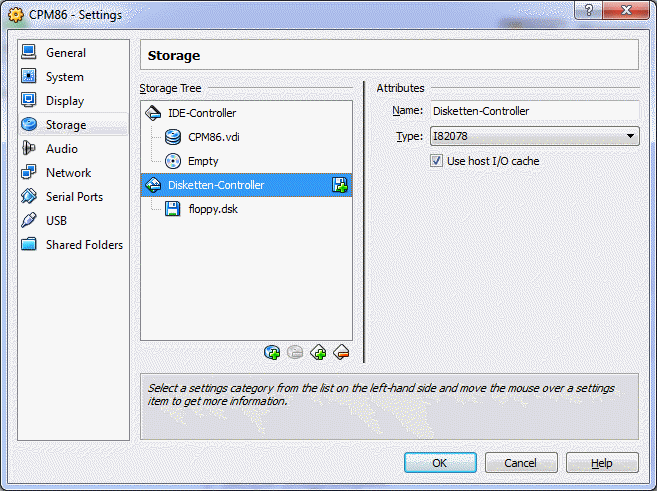
You can add a media (=floppy disk image file) only if you have a disk controller.
You should change the file extension from ".flp" to ".dsk", otherwise VirtualBox does not recognize the format.
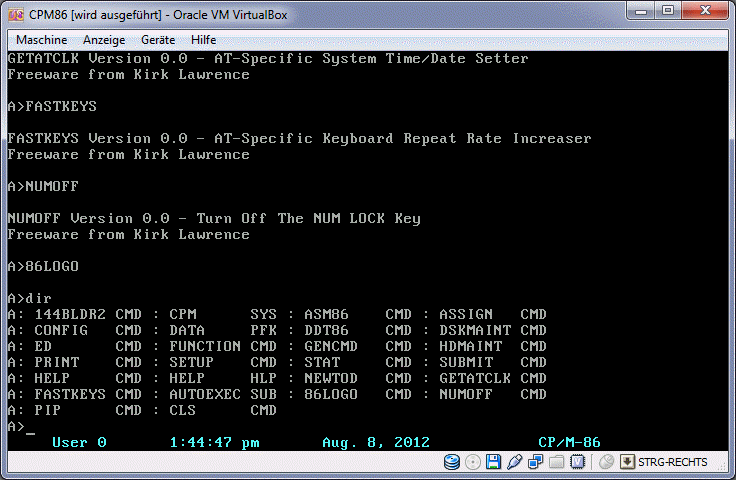
Like before, I selected "DOS" as OS in VirtualBox. It runs smoothly too:
EDITED DAYS LATER:
I got also cpmtools working, with the help of a self written program, which can convert the image into a different track order (no alternating heads, just one side and then the second side of a floppy disk is expected from cpmtools).
The result - I can use "-f cpm86-144feat" as the needed media type option:
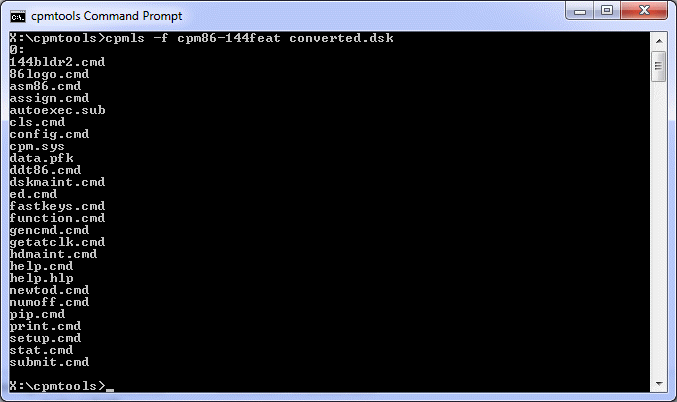
To get the same result, try my Turbo-C program cpm86cnv, which can be d/l'd from >here<.
Usage: cpm86cnv input-image-file output-image-file vmw-to-cpmt
... for converting it to VMWare compatible image format
Usage: cpm86cnv input-image-file output-image-file cpmt-to-vmw
... for converting it to cpmtools compatible image format
After converting it to a cpmtools compatible image,
you can use a similar command to add single files to the image file:
cpmcp -f cpm86-144feat image-file file-to-add-stored-locally 0:cpm86-filename
I tried to copy CBASIC-86 to the above mentioned CP/M-86 boot disk and it works great:
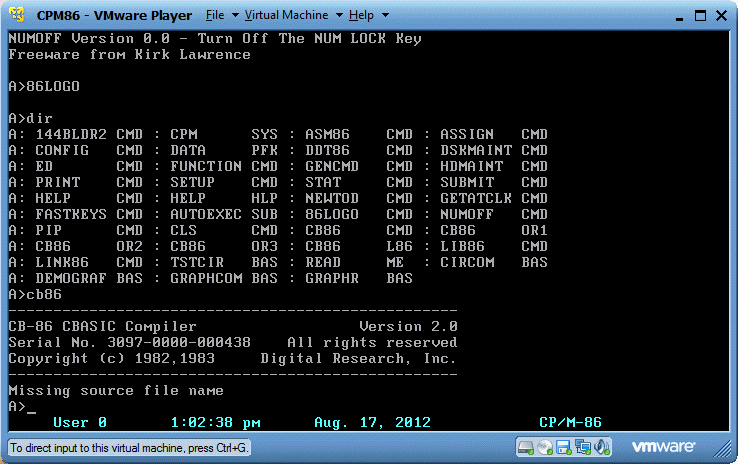
For your convenience, >here<'s the resulting new boot disk WITH added CBASIC-86.
BUT WHY NOT USING A HARDDISK ? SURE I WILL, ALSO WITH VMWARE.
A bit tricky, because just using HDMAINT does not work.
You have to change the harddisk type, for example to an old MFM Type 2 (like in a PC/AT):
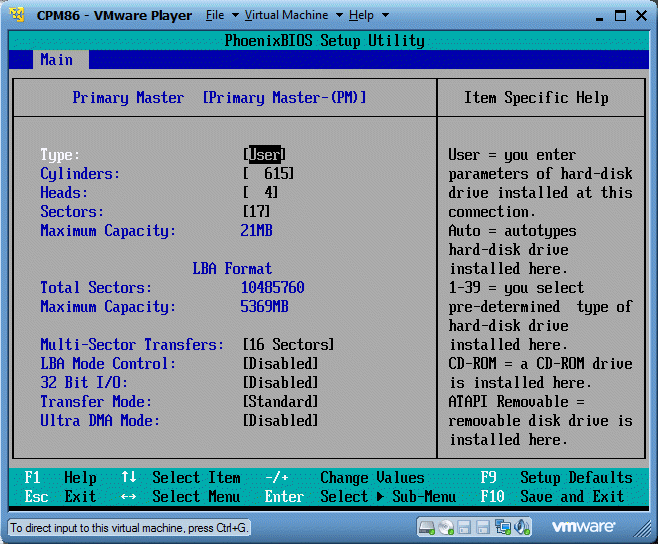
After this, use HDMAINT, create a partition (8192K here) and make it bootable.
Copy CPM.SYS with the help of PIP to C:, but you can also copy other stuff (as you like).
This is the result (STAT DSK: of the virtual Type 2 harddisk):
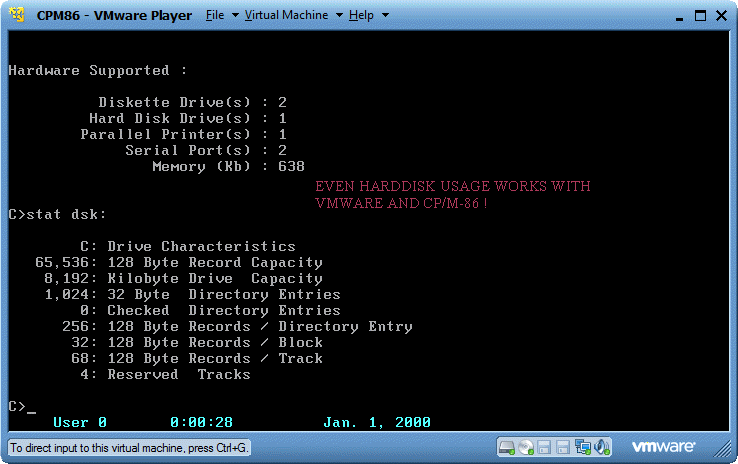
Unfortunately 144BLDR2 will not automatically loaded then, SETUP.CMD and the function "Power-Up command line" does only work with floppy drives. So you have to type in "submit autoexec" manually...
Because this blog entry grows and grows, I will try to make a separate web page for it.
Related link